Gourav
 Introduction: The Personal & Professional Hook
We’ve all been there—the “wedding hangover.” I’m not talking about the kind you get from too much champagne at the reception, but the much heavier weight of 3,000+ raw photos sitting on your hard drive, staring you down. For professional photographers, the joy of capturing a couple’s biggest day is often followed by weeks of being tethered to a desk, drowning in a sea of identical-looking shots and endless color corrections. It’s the side of the business that drains your creativity faster than a dying camera battery.
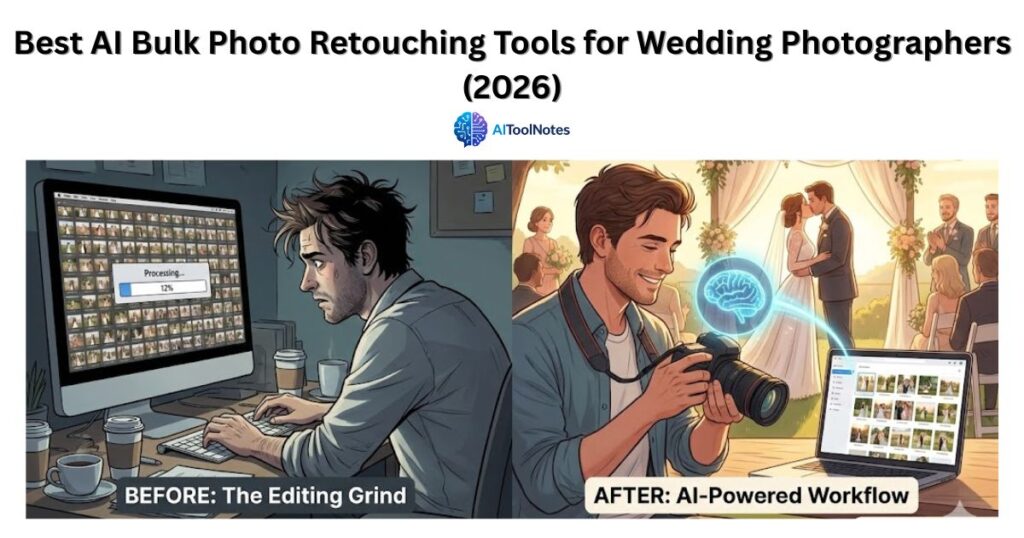
Here at AI Tool Notes, my usual beat involves deep-diving into enterprise-level tech, but I recently took a more personal detour. I helped a close photographer friend tackle a massive, backlog-heavy wedding gallery using what I like to call “AI second shooters.” These aren’t just filters; they are sophisticated assistants that learn your unique style. My mission is to break down the top AI editing tools of 2026 that actually understand the high-stakes nuance of a wedding day—from nailing diverse skin tones under harsh reception lights to preserving that fleeting, perfect golden hour. I want to help you get out of the editing chair and back behind the lens where you belong.
Why Wedding Photography Needed an AI Revolution?
In 2026, the wedding photography industry has reached a tipping point where the old ways of working are simply no longer sustainable. We’ve moved beyond simple “filters” into a space where technology is the only way to meet the crushing demands of the modern wedding season.
The Volume Trap
The math of a modern wedding is daunting: many photographers now return from a single event with up to 5,000 images to sort through. Manually culling and color-correcting this sheer volume of photos is the fastest path to burnout, leading to physical exhaustion, decision fatigue, and a total loss of creative motivation. Without AI to handle the heavy lifting, the “editing mountain” becomes an impossible obstacle that keeps photographers away from their cameras—and their lives—for weeks at a time.
Style Consistency
One of the hardest professional feats is maintaining a signature “look” across vastly different environments. Keeping your style consistent as you move from a bright, sun-drenched outdoor ceremony to a dark, moody reception with mixed venue lighting is a technical nightmare. Fixing these exposure and white balance issues by hand for an entire gallery is incredibly time-consuming, but 2026 AI tools now learn your specific editing profile to ensure every shot—from the first kiss to the last dance—looks cohesive and intentional.
Client Expectations
We live in an era of instant gratification where waiting weeks for photos is becoming a relic of the past. Today’s couples expect “sneak peeks” or highlight galleries almost instantly so they can share their day on social media while the excitement is still fresh. Manual editing simply cannot keep up with this demand for rapid turnaround. Using AI to automate the initial culling and color grading is no longer just a luxury; it’s an essential service standard to keep clients happy and referrals coming in.
The Best AI Retouching Tools I Tested for 2026
To find the tools that actually live up to the hype, I’ve spent months testing how they handle diverse skin tones, complex venue lighting, and the sheer pressure of bulk processing thousands of images at once. Here are the definitive leaders for your photography workflow in 2026.
1. Aftershoot: The “Culling and Editing” Powerhouse
Aftershoot is my top recommendation if you want a complete, hands-off automation of your entire workflow.
- Culling: Its AI is frighteningly accurate at detecting closed eyes, blurred shots, and duplicate poses, instantly sorting your “keepers” from the “forgettables”.
- Personalized AI Profile: Instead of a generic filter, it trains a custom model based on your past Lightroom catalogs so the final edits actually mirror your unique artistic style.
- 2026 Update: The latest “Creative Style” AI and smarter exposure handling allow the software to adapt to varying light conditions within a single gallery automatically.
2. ImagenAI: High-Speed Desktop Automation
If you already have a signature look and need a “clone” to apply it across 2,000 photos in record time, Imagen remains the industry leader.
- Talent Profiles: For those still developing their style, you can use profiles from world-class photographers to get professional results instantly.
- Speed: Because it leverages cloud processing, it can edit an entire wedding gallery in under 0.5 seconds per photo—roughly the time it takes you to make a cup of coffee.
- Pricing: Its pay-per-edit model is perfect for professionals, as the small cost per image is incredibly easy to build directly into your client’s package.
3. Narrative Select + Edit
Narrative is the perfect choice for photographers who want a blazing-fast, minimalist desktop app that feels smooth and stays in sync with Lightroom.
- Focus on Faces: Its standout feature is the “Close-ups” panel, which automatically zooms in on every face in a frame so you can check expressions and focus without manual panning.
- Minimalist UI: It is specifically designed to be the least “bloated” software on the market, making it the ideal pick for photographers working on older laptops or in locations with zero connectivity.
Quick Comparison: Which AI Should You Hire?
| Tool Name | Best For | Top Feature | Speed |
| Aftershoot | All-in-one Workflow | AI Culling + Style Learning | Ultra Fast |
| ImagenAI | Pure Editing Speed | Personalized AI Profiles | Fast (Cloud-based) |
| Narrative | Face/Eye Detection | Smooth Lightroom Sync | Very Fast |
My Step-by-Step Workflow for Bulk Retouching
I have seen this jargon-free process save photographers over 20 hours per wedding, turning a mountain of raw data into a polished gallery in a single afternoon. It’s about working smarter, not harder, so you can spend less time at your desk and more time with your family or out in the field shooting.
The AI Cull and Initial Setup
The journey begins with the AI Cull, where you run your raw files through the software to instantly trim 3,000 shots down to the absolute best 500 to 800 images. This stage is a lifesaver because it automatically eliminates the fatigue of clicking through blurry shots, duplicate poses, or those unintentional photos of your own feet.
Profile Loading and Consistency
Next, you move to Profile Loading, where you select your “Personal AI Profile” to ensure the automated edits perfectly match your brand’s specific color science and aesthetic. This ensures that even if you were shooting across different lighting conditions, the final collection feels cohesive and intentional.
The “Coffee Break” Edit
This is followed by the “Coffee Break” Edit, a phase where you simply let the AI process the entire batch in the background. In 2026, tools like ImagenAI or Aftershoot can handle an entire gallery in roughly 10 to 20 minutes, finally giving you a legitimate excuse to step away from the screen for a breather.
Finalizing with the Human Touch
Once the heavy lifting is done, it is time for the Human Touch, which is where your true artistry comes back into play. You quickly scan the gallery to apply any unique artistic tweaks, such as special black and white conversions or minor cropping on your favorite standout frames.
Sync and Export for Delivery
Finally, you Sync and Export by pulling the AI-generated metadata back into Lightroom for the final high-resolution export. This streamlined hand-off allows you to deliver a professional, personalized gallery to your clients faster than ever before.
Pro Tips for Keeping the “Human Feel” in AI Edits
AI is an incredible assistant that can handle the heavy lifting of a wedding gallery, but in 2026, couples are increasingly craving authenticity over automated perfection. To ensure your work remains unmistakably yours, it is essential to balance technical speed with human intention.
The 90/10 Rule: Don’t Over-Automate
While modern AI tools are essential for handling the initial culling and basic color correction of thousands of images, they cannot replace your artistic vision. Use AI to tackle the unglamorous 90% of your workflow, such as exposure balancing and noise reduction. However, the last 10%—your “hero shots” or the most emotional moments—should always receive a manual, artistic touch to ensure they convey the true story of the day.
Quality In, Quality Out: Feed the AI Good Data
The accuracy of your Personal AI Profile depends entirely on the quality of the data you use to train it. To build a profile that truly reflects your brand, select at least 3,000 of your best, most consistently edited images from your past Lightroom catalogs. Using your top-tier work from various lighting scenarios helps the AI learn your specific “color science,” making its automated edits much more reliable.
Embracing Imperfection and “Grain”
In a world filled with hyper-clean digital images, adding back a bit of character is one of the biggest trends of 2026. AI-powered noise reduction can sometimes make a photo look too “plastic” or sterile. Do not be afraid to intentionally add film grain or light leaks during your final review to maintain a nostalgic, “perfectly imperfect” wedding feel that resonates emotionally with your clients.
Final Thoughts: Scaling Your Business Without the Stress
At the end of the day, your clients are paying for your artistic eye and your physical presence, not for the exhausting hours you spend staring at a progress bar in Lightroom. Transitioning to AI for bulk retouching in 2026 isn’t “cheating”—it is simply being a smart, efficient business owner who values their time and creative energy. My primary goal with AI Tool Notes is to help you navigate these breakthroughs so you can win your time back and focus on the parts of your business that actually bring you joy.
The photography landscape has shifted, and staying competitive now means embracing the speed that technology offers without losing your soul in the process. I’m curious to hear from you—how much time are you currently losing to a single wedding gallery? Would you trust an AI “second shooter” to take that first pass for you, or are you still a bit skeptical? Let’s start a conversation and talk about it in the comments below!