 Gourav
 Introduction: Why I Dove Into AI Animation Tools
I’ll be completely honest with you—when I first started exploring AI motion graphics tools, I had no idea what I was getting into. It’s 2026, and the AI animation space has absolutely exploded. Everyone’s talking about how you can just type a prompt and get professional-looking animations, but I wanted to see if that was actually true or just marketing hype.
What really pushed me to start this journey was scrolling through X (formerly Twitter) and Reddit. I kept seeing the same frustrated posts: “What’s a truly free AI animator that doesn’t cap at 10 seconds?” or “Best for beginners in 2026 without breaking the bank?” I felt that pain too. As someone who creates content regularly—whether for my own projects or just experimenting for fun—I was tired of hitting paywalls or getting slapped with giant watermarks on my exports.
So I decided to test dozens of these tools myself. My goal? Find options with solid free tiers or open-source alternatives that actually let you create motion graphics, animated explainers, kinetic typography, and character animations without immediately demanding a credit card.
In this post, I’m sharing everything I learned from my hands-on trials in early 2026. I’ll break down the top picks, tell you what I honestly think about each one, and share real observations I came across on social media. These aren’t just names I pulled from a list—I actually spent time with these tools.
Quick note: I’m planning to create detailed post reviews of each tool in my upcoming content series, so you can see them in action and follow along with real examples. For now, let me walk you through what I discovered.
Why Free AI Motion Graphics Tools Matter in 2026?
Before diving into specific tools, I want to talk about why this matters. AI has genuinely transformed content creation this year. We’re not just talking about slight improvements—we’re talking about turning text prompts into full-blown animations with realistic movements, custom styles, and even audio synchronization.
It’s not just for professional studios anymore. I’m based in Kolkata, and I see educators here creating engaging lessons, small businesses producing marketing reels, and artists experimenting with 3D effects—all using free AI tools. That democratization of creativity is incredible to witness.
But here’s my honest opinion: these tools aren’t perfect. Free versions often come with resolution caps or credit systems that refresh monthly. The quality has improved massively from 2025’s options, and the integration for social media exports is way better, but you still need to manage expectations.
If you’re completely new to this, I’d recommend starting small. Try prompting something like “futuristic city fly-through with neon lights” and see what happens. Then tweak and experiment from there.
My Top Free AI Motion Graphics Tools for 2026
Hera – The AI Motion Designer That Actually Delivers
Official Site: https://hera.video/
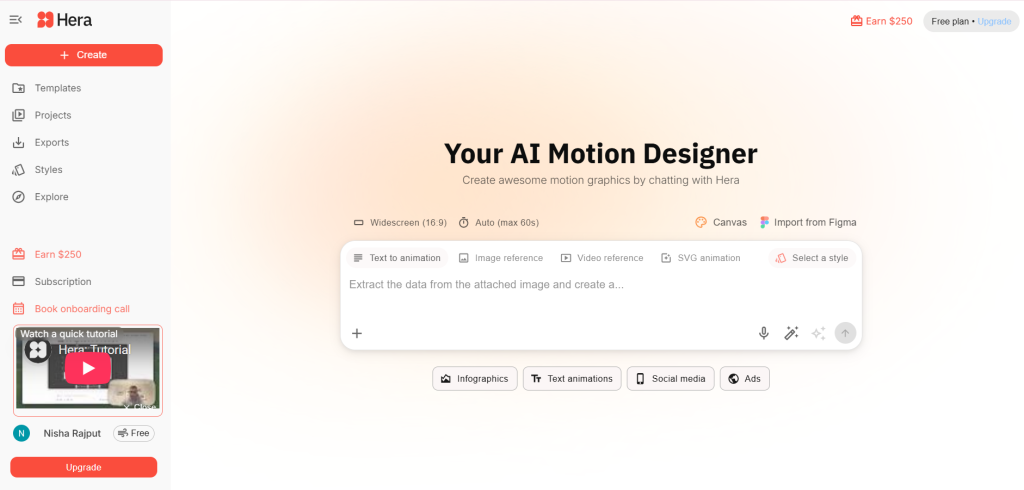
Hera has become my go-to tool for quick, professional motion graphics. I’m not exaggerating when I say this thing turns text prompts into polished animations in seconds. The interface is clean, the outputs are editable, and you get access to hundreds of remixable templates right from the start.
What Makes Hera Stand Out
The default format is 16:9 widescreen with 15-second clips, which is perfect for social media. What really impressed me were the specialized features—charts, maps, and data visualization tools built right in. You don’t need After Effects skills. You literally describe what you want, and Hera generates something that looks professionally designed.
When I went through social media, I found creators absolutely raving about the speed. I came across posts like this one where someone mentioned how motion graphics used to require After Effects expertise and hours of tedious work, but Hera is completely changing that workflow with its AI motion designer approach. Another creator pointed out that Hera creates motion graphics 10x faster than traditional tools, especially for pitch decks and product ads.
My Honest Take
It’s intuitive and genuinely feels like having a professional designer on call. The free tier lets you experiment without heavy restrictions, though premium obviously unlocks more templates and export options. If you’re rushing to create content for Instagram or LinkedIn and don’t have time for a learning curve, this is your tool.
How to Get Started with Hera
Type a prompt like “Viral animations for your content” and start remixing. The export process is straightforward—no technical headaches. Perfect for beginners who want results fast.
Who It’s For
Marketers, social media creators, startup founders making pitch decks, anyone who needs polished motion graphics without the After Effects learning curve.
Runway – The Creative Powerhouse for Advanced Users
Official Site: https://runwayml.com/
Runway is a name that keeps popping up in AI video discussions, and for good reason. This isn’t just an animation tool—it’s a complete AI video generation platform with capabilities that go way beyond basic motion graphics.
What Runway Brings to the Table
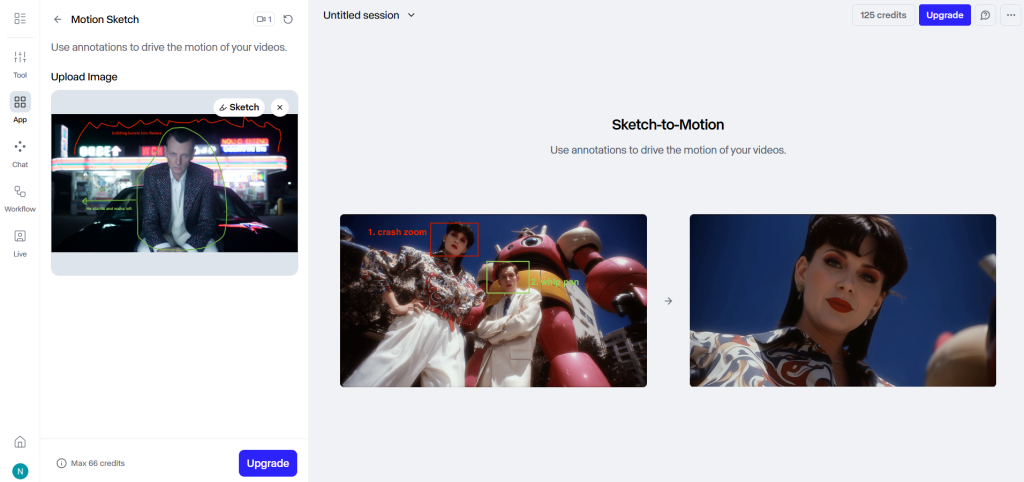
The versatility here is genuinely impressive. You can transform entire scenes, add or remove elements using text prompts (like changing lighting conditions or swapping out clothing), create mood boards, build storyboards, and set up custom workflows. For motion graphics specifically, I found it excellent at restyling shots and handling VFX-style tasks like object removal.
The freemium model includes a solid free tier for testing, with credits that refresh. The node-based system gives you serious control if you want it.
Social Media Buzz
While scrolling through tech discussions on X, I noticed interesting debates about choosing AI video tools in 2026. Someone compared it to picking a phone ecosystem—you’re kind of committing to a workflow. Multiple creators have listed Runway among “AI tools that actually work in 2026,” particularly praising its video editing capabilities. Another post echoed similar sentiments about Runway being one of the AI tools that actually matter this year.
Runway Tips for Motion Graphics
Use the text-to-video feature for quick ideation, then refine everything with their node-based system. The exports work great for social media clips.
My View
This is more advanced than basic tools. If you want serious control over your edits and you’re willing to invest time learning the interface, Runway offers capabilities that simpler tools can’t match. But the learning curve might intimidate total beginners. I personally feel it’s a “grow into it” tool—start with basic features and expand as you get comfortable.
Best For
Content creators who want artistic control, editors transitioning from traditional tools, anyone working on projects requiring VFX-style manipulation.
Animaker – The Beginner’s Best Friend
Official Site: https://www.animaker.com/
If Runway felt intimidating, Animaker will feel like a breath of fresh air. This is genuinely beginner-friendly, and I mean that in the best possible way.
Why I Recommend It for Starters
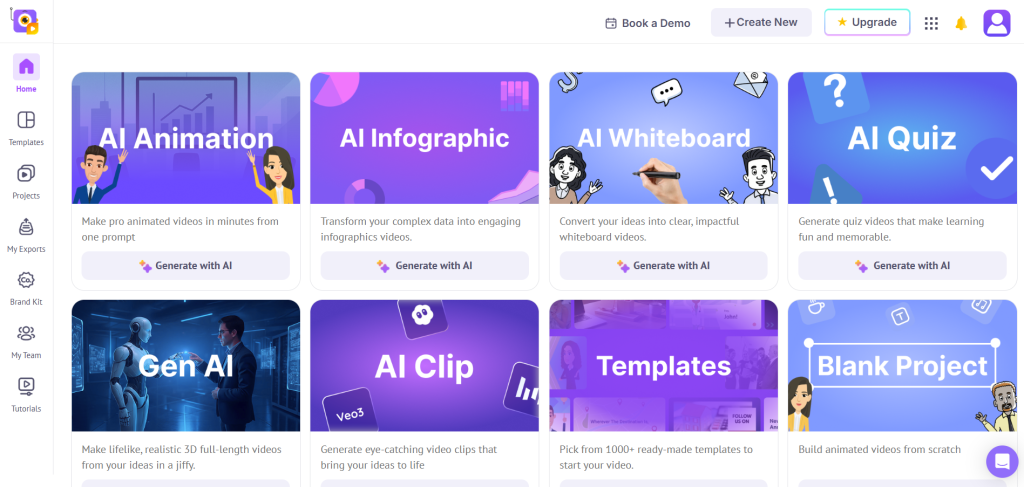
The drag-and-drop interface is immediately intuitive. The asset library is absolutely massive—100M+ stock media items, 70K+ icons, 30K+ music tracks. That kind of library means you’re not constantly hunting for assets on external sites.
What I really love is the character builder. It claims billions of unique avatar combinations, and while I obviously haven’t tested all billions, the variety is impressive for explainer videos and educational content. The platform supports motion graphics through templates, and you get editing effects like trim, crop, and green screen.
What Social Media Says
While browsing recommendations, I found posts mentioning Animaker as perfect for starting out with AI animated videos and templates. Another list I came across highlighted it for effortless video creation, particularly explainer videos. Someone else described it as a drag-and-drop AI animation tool that’s simple for beginners, which matches my experience exactly.
My Take
Super user-friendly, especially if you’re not a designer. The voiceover integration is a standout—you can add AI voices without leaving the platform, which saves considerable time on explainer content.
Animaker in Action
Start with a template, add AI-generated characters, and you can export watermark-free on the free plan (with some limits, obviously). The free-forever plan is genuinely generous for basic use.
Perfect For
Teachers, small business owners, marketing beginners, YouTubers creating explainer content, anyone who’s never edited video before and finds most tools overwhelming.
Blender – The Free Professional Standard
Official Site: https://www.blender.org/
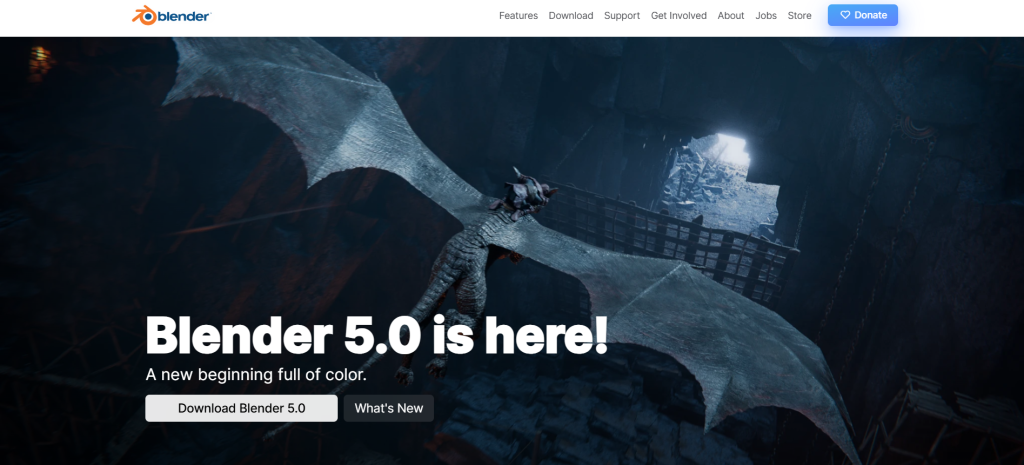
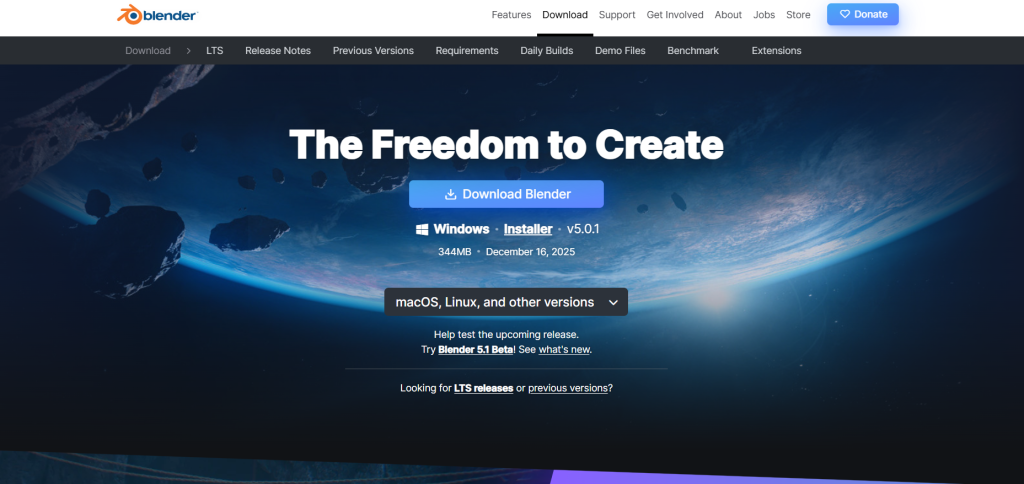
I need to talk about Blender, even though it’s not specifically an AI tool. It’s completely free, fully open-source, and professional-grade. The 2026 community has created AI add-ons that integrate beautifully with Blender’s already incredible capabilities.
What You’re Actually Getting
This is a full 3D creation suite. 2D animation, 3D animation, rigging, skinning, curve editors, sound synchronization, 2D-in-3D drawing with onion skinning—the feature list is genuinely overwhelming. The fact that all of this costs absolutely nothing while offering professional-level capabilities is remarkable.
The AI Integration Angle
While Blender isn’t natively AI-powered, the 2026 community add-ons have changed the game. You can now integrate AI for texture generation, automated motion, and more. I’ve seen discussions about upcoming features like Animation Layers and enhanced NPR rendering. There’s also growing content about Blender + AI for stylized environment creation specifically for 2026.
Several posts I came across emphasized that if you know traditional 3D tools like Maya or Blender, learning to integrate AI tools is becoming essential as AI transforms animation workflows.
My Honest Perspective
Here’s the truth: Blender has a steep learning curve. Very steep. But it’s unbeatable for depth and capability. I think of it as a long-term investment—painful at first, incredibly rewarding once you push through. Pair it with AI plugins, and you have a hybrid workflow that’s both powerful and completely free.
Blender for Beginners
Download it, watch free tutorials on YouTube, and start adding AI extensions for things like automated rigging. Take your time—this isn’t a weekend project.
Who Should Use It
Anyone serious about 3D animation or motion graphics as a long-term skill. Students, freelancers, hobbyists willing to invest learning time. Not ideal if you just need quick social media clips.
Powtoon – Business and Education Focused
Official Site: https://www.powtoon.com/
Powtoon sits in an interesting niche—it’s specifically designed for presentations, infographics, and whiteboard explainers. In my experience, it feels more polished for business contexts than creative or artistic ones.
What I Appreciated About Powtoon
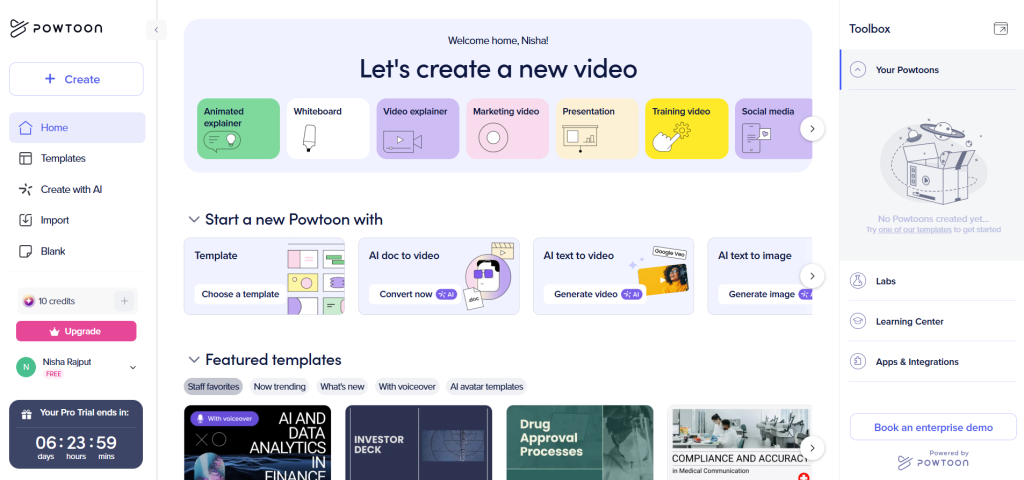
The AI features are well-integrated: doc-to-video conversion, AI scriptwriter, text-to-speech with multiple voices, avatars with lip-sync, text-to-image generation, captions, and translations. For creating business presentations or educational content, this toolkit makes complete sense.
The template library (hundreds of options even in the free tier) is clearly designed with professional contexts in mind. You can tell they’re targeting corporate and educational users.
Community Mentions
While going through recommendations, I saw Powtoon listed alongside pricing comparisons with other animation tools (around $15/month for paid plans). The free version was highlighted in posts like this as making animation super easy with Powtoon’s free animated video maker software. Another mention described it as creating jaw-dropping videos and presentations, with a free limited version available.
Powtoon Hacks
Use the AI scriptwriter when you’re stuck on how to explain something, then animate using their free templates. The doc-to-video feature is surprisingly useful.
My Opinion
It’s not for artistic experimentation—it’s for getting business content done efficiently. If you need presentations that stand out or educational content that engages students, Powtoon delivers without requiring design skills.
Target Audience
Business professionals, educators, marketers creating product demos or training materials. Less suitable for creative artists or social media influencers looking for unique visual styles.
Neural Frames – The Audio-Reactive Specialist
Official Site: https://www.neuralframes.com/
Neural Frames is a tool I initially overlooked but came to really appreciate for specific use cases. It’s built around audio reactivity, making it exceptional for music videos and sound-driven animations.
What Sets Neural Frames Apart
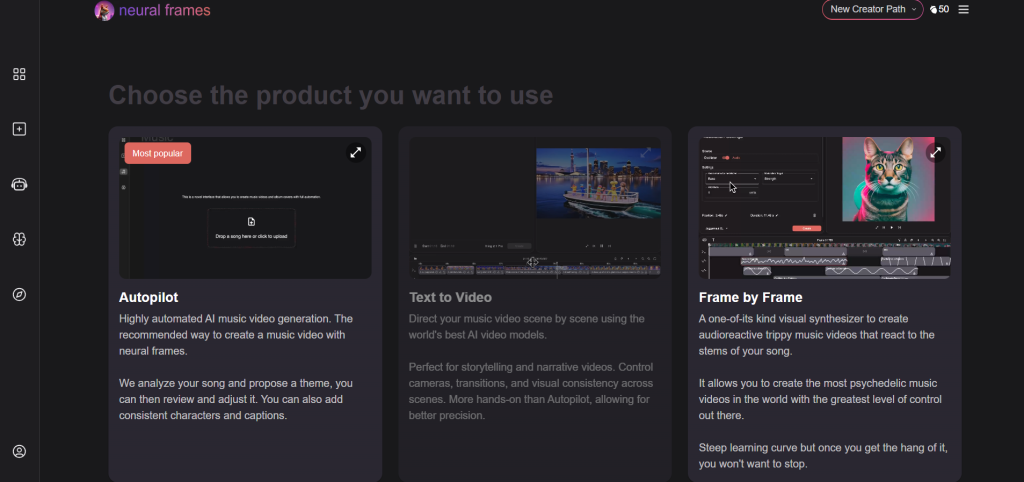
The autopilot feature for song-based videos is clever—it can generate up to 10-minute outputs that sync to your audio. The audio reactivity goes deep too, syncing to specific stems like drums, bass, or vocals. You can choose different AI models (Kling, Runway integration, etc.), train custom models, and upscale to 4K.
The free plan includes credits for trials, so you can test whether this approach works for your projects.
Real User Experiences
When I explored social media discussions, I found interesting perspectives. One person praised it as genuinely one of the best AI video tools for professional use. Several creators shared experiences like this one where they turned concepts into cinematic clips using Neural Frames. Another creator described blending real footage with Neural Frames AI clips to create surreal-yet-realistic cinematic vibes for music videos.
Neural Frames Workflow
Upload your audio file, prompt the visuals you want, and let the AI sync movements to your sound. It’s surprisingly intuitive once you understand the audio-reactive concept.
My Take
This is genuinely underrated for abstract motion graphics. If you’re working with music or want animations that respond dynamically to sound, Neural Frames offers capabilities that general animation tools simply don’t have.
Perfect For
Musicians creating music videos, podcasters wanting visualizers, content creators making audio-driven content, experimental artists exploring abstract motion. Not ideal for standard explainer videos or business presentations.
Rokoko – Motion Capture Made Accessible
Official Site: https://www.rokoko.com/
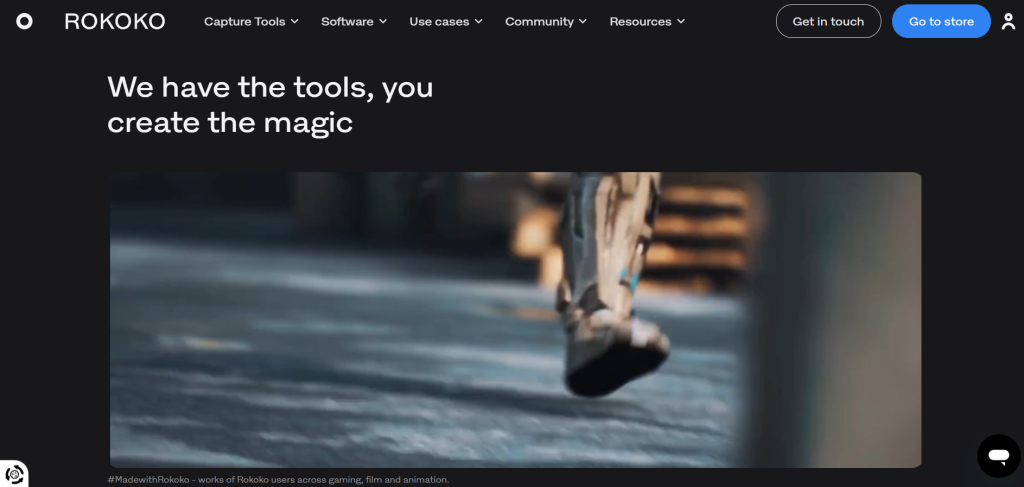
Rokoko Video (part of Rokoko Studio) deserves serious attention because it solves a specific problem incredibly well: adding realistic human motion to animations without expensive motion capture equipment.
The Core Capability
This is AI-powered motion capture using just your webcam or pre-recorded video. No suit required, no special sensors—just video input. It captures full-body and facial movements, then exports to standard formats (FBX, BVH) that integrate seamlessly with Blender, Unreal Engine, Maya, and other major 3D software.
What I Found on Social Media
Multiple posts highlighted Rokoko as a free, AI-powered motion capture solution using just your webcam or pre-recorded video. One detailed tip I came across recommended a two-camera setup for better capture results. Comparisons mentioned how motion capture technology that used to require expensive equipment is now completely free through Rokoko’s AI approach.
Using Rokoko
Upload your video, let it capture the motion, then import the resulting file into your animator. The integration with major 3D software is seamless.
My Thoughts
If you’re doing any kind of character animation where realistic movement matters, this is essential. The fact that it’s completely free is remarkable. Essential for adding dynamic, realistic movements to your graphics.
Best Users
3D animators, game developers, anyone creating character-driven content who needs realistic movements. Works beautifully in combination with Blender for a completely free animation pipeline.
Comparing These Tools: What I Actually Learned
After testing all these options, I’ve developed some clear opinions about when to use what:
For Speed: Hera wins hands down. If I need motion graphics quickly for a client presentation or social media post, I’m opening Hera every time.
For Control: Runway gives you the most flexibility and creative power, but you pay for it with complexity and a learning curve.
For Beginners: Animaker or Powtoon, depending on whether you want creative freedom (Animaker) or business focus (Powtoon).
For Long-term Skill Building: Blender combined with Rokoko creates a professional-grade, completely free pipeline that can carry you through an entire career.
For Music/Audio Projects: Neural Frames is specialized and excellent at what it does—nothing else quite compares for audio-reactive content.
My Personal Recommendations Based on Use Cases
If You’re a Social Media Creator
Start with Hera for quick motion graphics, experiment with Animaker for variety. The time savings are absolutely worth it when you’re posting regularly and need fresh content.
If You’re Building a Business
Powtoon for presentations and explainers. The professional templates and AI scriptwriter will save you hours of work and the results look polished.
If You’re a Student or Learning 3D
Invest time in Blender. Yes, it’s hard. Yes, it’s absolutely worth it. Add Rokoko for motion capture. This combination is genuinely career-building.
If You’re Making Music Content
Neural Frames first, then consider Runway for additional creative effects and post-processing.
If You Want to Experiment
Try multiple tools. The free tiers exist for exactly this reason—finding what clicks with your specific workflow and creative style.
The Limitations Nobody Talks About (But I Will)
Let me be completely real about the downsides I’ve encountered during my testing:
Credit Systems: Most “free” tools operate on credits that refresh monthly. You’ll hit limits way faster than you expect if you’re creating content regularly. Plan accordingly.
Resolution Caps: Free tiers often max out at 720p or 1080p. If you need 4K exports for professional projects, you’re probably paying for a premium tier.
Watermarks: Some free versions add branding to exports. Always check this before creating a client project—nothing’s more frustrating than finishing a video only to discover a giant watermark.
Export Restrictions: Limited formats or download restrictions are common in free tiers. Make sure the tool exports in formats compatible with your workflow.
AI Glitches: AI-generated content still has weird moments—odd movements, style inconsistencies, physics that don’t quite work realistically. You need to review outputs carefully and sometimes regenerate.
Learning Curves: Even “beginner-friendly” tools require time to understand properly. Don’t expect to master them in an afternoon—give yourself time to learn.
I’m not saying this to discourage you—just to set realistic expectations. Every tool I’ve listed here is genuinely usable for free, but “free” always comes with trade-offs. Understanding those trade-offs upfront saves frustration later.
Looking Ahead: What’s Next for AI Animation in 2026
From what I’m seeing in social media discussions and tool update announcements, we’re honestly just at the beginning of this revolution. The pace of development is absolutely wild—tools that seemed cutting-edge three months ago are already being updated with new capabilities that blow my mind.
What I’m personally watching for in the coming months:
- Better integration between different tools
- Improved AI understanding of complex motion and physics
- More realistic character animations with better facial expressions
- Better handling of realistic physics and dynamic lighting
- Easier collaboration features for team projects
The democratization of creative tools continues to accelerate at an incredible pace. What required a professional studio with expensive equipment just a few years ago now runs on a laptop with free software. That’s genuinely transformative for creators everywhere.
My Final Thoughts and Recommendations
After weeks of testing, comparing, and actually creating content with these tools, I’ve realized something important: the “best” tool doesn’t universally exist. It depends entirely on what you’re creating, how you work, and what your specific goals are.
I personally rotate between tools based on the project at hand. Quick client work? Hera every time. Experimenting with creative ideas? Runway. Teaching content or explainers? Animaker. Building professional skills for the long term? Blender with Rokoko integration.
The AI space in 2026 has genuinely transformed creative workflows. I estimate these tools cut my creation time by 70-80% compared to traditional methods. That’s not marketing hype—that’s my actual lived experience over the past few months.
For creators in Kolkata (where I’m based) or anywhere else looking to produce engaging local content—whether it’s animating Durga Puja stories, creating business pitches, or just experimenting with creative ideas—these tools make it accessible in ways that seemed impossible just a couple of years ago.
Remember: I’ll be creating detailed post reviews of each tool in my upcoming content series, where you can see them in action with real examples and follow-along tutorials. Subscribe or follow so you don’t miss those.
What’s your favorite free AI animation tool? Have you tried any of these? I’d genuinely love to hear about your experiences in the comments below—I might even update this post based on your thoughts and recommendations.
Until next time, keep creating and experimenting!







