 Gourav
 Introduction: Why AI Photo Editing Matters Now
Photo editing used to be hard work. You needed expensive software and lots of training. But in 2026, AI tools changed everything.
Now anyone can fix old photos, remove unwanted objects, or change backgrounds with just a few clicks. The best part? The edits look completely real, not fake or cartoon-like.
According to PCMag, the top AI tools in 2026 create images with amazing detail and accuracy. These tools help people make their photos look professional without spending hours learning complicated software.
This article explores the four best AI photo editing tools in 2026. We’ll look at what makes them special and help you pick the right one for your needs.
What Makes Good AI Photo Editing?
The Goal: Natural-Looking Results
Good AI photo editing keeps pictures looking real. The edits should match the original photo’s lighting, colors, and shadows perfectly.
Reddit users often discuss what makes edits look natural. They say the best tools don’t add strange hands, weird lighting, or blurry spots.
Common Uses for AI Editing
People use these tools for many different projects. Some want to restore old family photos and bring back lost colors.
Others need to smooth skin for portraits without making it look plastic. Many users remove unwanted people or objects from vacation pictures.
According to Imagen AI, changing skies, swapping faces naturally, and fixing lighting are also popular tasks. The key is making every change look like it was always part of the original photo.
Why 2026 Is Different?
AI photo editing tools got much better this year. Aftershoot reports that 2026 tools use more training data than ever before.
This helps them understand real-world lighting, skin textures, and how objects should look. The improvements mean fewer mistakes and more realistic results every time.
Adobe Photoshop with Firefly AI: The Professional Choice
What Makes Photoshop Special?
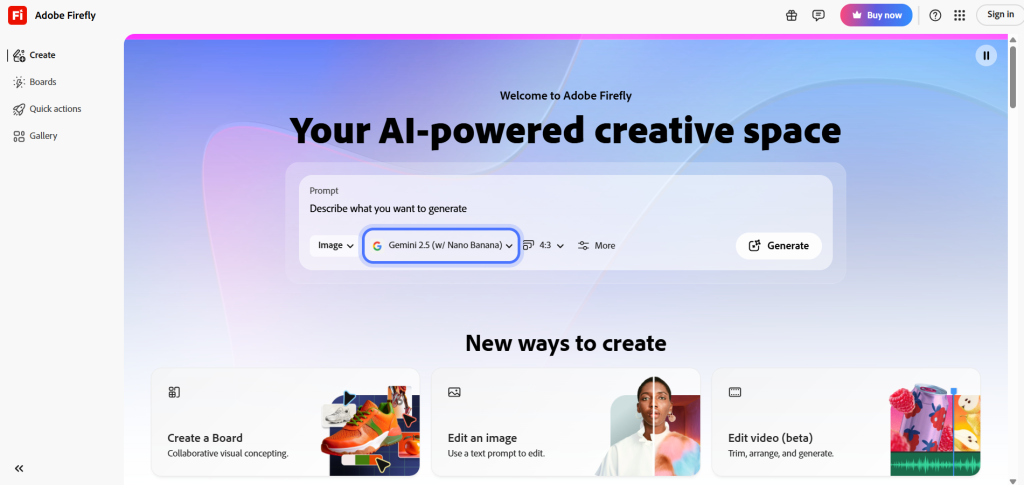
Adobe Photoshop with Firefly AI is the top choice for professional photo editors. Adobe’s blog calls it the industry leader for realistic edits.
Many photographers trust Photoshop because it combines traditional editing tools with powerful AI features. You get complete control over every detail in your photos.
Generative Fill: The Star Feature
Generative Fill is Photoshop’s most impressive tool. You select an area and tell it what to add or remove.
The AI fills the space with content that matches your photo’s lighting and colors perfectly. According to Engadget, the 2026 update creates sharp details up to 2K resolution.
Reddit discussions show users praising the quick AI fixes. The tool reduces weird lines and adds better lighting automatically.
Other Powerful Tools
The Remove Tool erases unwanted objects cleanly. It keeps edges sharp and fills in backgrounds naturally.
Reference Image lets you copy real objects exactly, matching their size and color. Forbes says this feature gives more control and precision than ever.
Neural Filters fix skin or change facial expressions softly. Adjustment Layers add Clarity, remove Dehaze, and add Grain without destroying your original photo.
Who Should Use Photoshop?
Photoshop works best for professionals and serious hobbyists. It offers the most control but takes time to learn.
The software requires a monthly subscription. According to Adobe Firefly, you can try it free first to see if it fits your needs.
People who want the most natural-looking edits choose Photoshop. The learning curve is medium difficulty but worth it for professional results.
Luminar Neo: Easy One-Click Magic
Why Beginners Love Luminar Neo?
Luminar Neo makes professional editing simple. Digital Camera World says the latest update makes it incredibly beginner-friendly.
You don’t need special skills to create amazing edits. The AI does the hard work while you enjoy the results.
AI Assistant: Your Personal Helper
The AI Assistant looks at your photo and suggests fixes. Type simple commands like “make sky blue” and watch it work.
According to Skylum’s blog, this feature also teaches you how to edit better. It’s like having a professional photographer guide you through each step.
Smart Editing Tools
Relight AI fixes lighting on faces and objects. It makes dark photos bright without looking fake.
Sky AI changes boring skies to dramatic sunsets or clear blue days. GenSwap lets you swap objects naturally without leaving weird edges.
YouTube reviews show how Light Depth adds realistic lighting and makes flat photos look three-dimensional. These tools work with just one click most of the time.
Cost and Accessibility
Luminar Neo uses a one-time purchase instead of monthly fees. Them Frames calls this a big advantage for budget-conscious users.
You buy the software once and own it forever. Updates may cost extra, but you’re not locked into endless subscriptions.
Facebook discussions show users happy with the Fall 2026 version. They say it’s worth the one-time investment for creative but realistic changes.
Imagen AI: Learning Your Personal Style
How Imagen AI Works Differently?
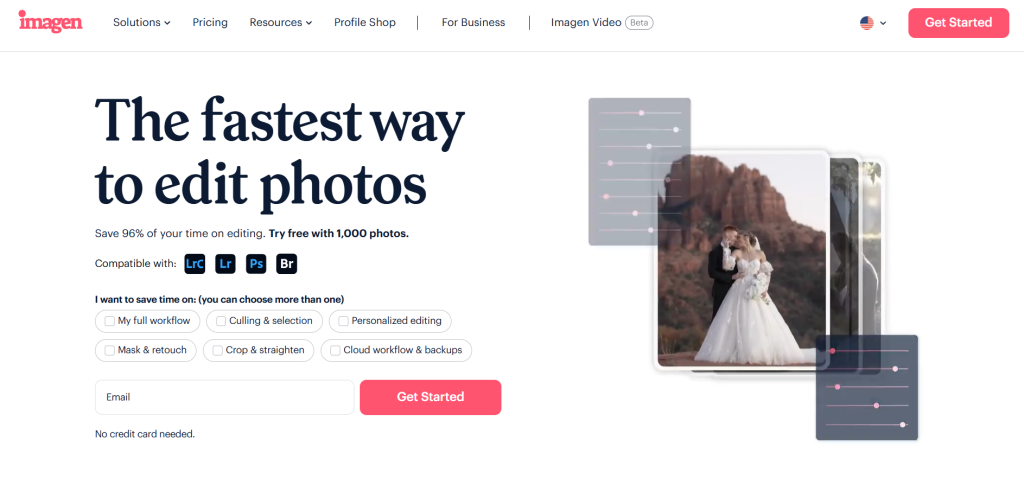
Imagen AI takes a unique approach to photo editing. Instead of using preset filters, it learns your personal editing style.
You upload examples of photos you’ve already edited. The AI studies them and creates a custom profile just for you.
Personal AI Profile Magic
According to Imagen AI, the Personal AI Profile copies exactly how you edit photos. It matches your choices for light, color, and skin smoothing.
Then it applies that same style to hundreds or thousands of new photos. The results look like you spent hours editing each one personally.
Perfect for Batch Editing
Wedding photographers and event professionals love Imagen AI. They often need to edit hundreds of similar photos quickly.
PetaPixel reports that the 2026 update makes batch editing faster and more accurate. The AI keeps results consistent across entire photo sets.
Additional Smart Features
Crop and Straighten fixes tilted photos automatically. Subject Mask changes just the person while keeping backgrounds untouched.
Smooth Skin removes blemishes but keeps natural texture. Signature Edits confirms these features work well after testing with over 15,000 photos.
Who Benefits Most?
Professional photographers who edit many similar photos benefit most. The tool works with Lightroom, making it easy to fit into existing workflows.
Imagen AI requires a subscription. According to PWG Lens, it’s worth the cost for people who value time savings.
Beginners might find other tools easier to start with. But once you develop your own editing style, Imagen AI becomes incredibly powerful.
Google Nano Banana (Gemini): Quick and Free

What Is Nano Banana?
Google’s Nano Banana is part of their Gemini AI platform. Google’s blog introduced the Pro version with better image quality in 2026.
It’s free to try and works entirely online. You don’t need to download any software.
Local Editing Power
Nano Banana lets you edit specific parts of photos easily. Remove stains, change poses, or fix small mistakes.
According to PCMag, the tool matches lighting and colors impressively well. Reddit users share tips for getting the most realistic results.
Style Transfer and More
Style Transfer copies colors or artistic looks from one photo to another. This creates fun, creative changes while keeping things natural.
The Remove and Add features work cleanly without weird edges. Ars Technica notes that blending two photos into one scene works without glitches.
Free Access and Limits
The basic version is completely free. The Pro version costs money but offers higher quality results.
Medium ranks Nano Banana high for accuracy and detail. It’s especially good for quick edits when you don’t have time for complicated software.
Social media users love sharing their results. X posts and Facebook groups show creative New Year portraits and travel photos.
Best Use Cases
Nano Banana works great for social media content and quick fixes. Students and casual users appreciate the free access.
The online interface makes it accessible from any device. You can edit photos on your phone, tablet, or computer.
Comparing the Top Four Tools
Feature Comparison
Each tool excels in different areas. Photoshop offers the most professional control and highest realistic level.
Luminar Neo provides easy one-click fixes with very high quality. Imagen AI specializes in learning your style for batch work.
According to Pixelbin, Nano Banana gives quick online edits with high quality. All four tools produce realistic results but work differently.
Cost Differences
Photoshop requires a monthly subscription. Adobe offers various pricing plans for individuals and businesses.
Luminar Neo uses a one-time purchase model. You pay once and own the software, though updates may cost extra.
Imagen AI runs on a subscription basis. Nano Banana offers free basic features with paid Pro upgrades.
Ease of Use
Luminar Neo and Nano Banana are the easiest to learn. They work well for beginners with simple interfaces.
Photoshop has a medium learning curve. It offers the most power but takes time to master.
Imagen AI is easy once set up. Creating your Personal AI Profile requires some initial work.
Speed and Efficiency
All four tools work faster than traditional editing. Zapier confirms that 2026 AI tools process edits in seconds.
Imagen AI wins for batch editing speed. Nano Banana excels at quick single-photo edits.
Photoshop and Luminar Neo balance speed with detailed control. They take slightly longer but offer more precision.
What Experts and Users Say?
Professional Photographer Opinions
Professional photographers have strong opinions about these tools. Many still consider Photoshop the gold standard.
YouTube reviews compare Adobe’s tools favorably to competitors. Photographers praise the control and natural results.
However, Luminar Neo gains fans for creative work. Piktochart notes its growing popularity among wedding and portrait photographers.
Social Media Feedback
Reddit discussions reveal interesting user preferences. One thread shows many users recommending Photoshop for basic adjustments and retouching.
Others point to Gemini or similar tools for fast changes. The community values both professional control and quick results.
X (formerly Twitter) users share impressive before-and-after photos. The visual proof helps others decide which tool to try.
Common Complaints
Some users report Luminar Neo having performance issues. Reddit discussions mention bugs after updates.
Licensing confusion frustrates some Luminar users. Another Reddit thread discusses limits on “lifetime” licenses.
Nano Banana faces some restrictions. Users note that the free version has more limits than before.
Tips for Getting the Best Results
Start with Clear Instructions
All these tools work better with clear, specific instructions. Type exactly what you want changed.
According to Skylum, prompts like “remove the car in background, keep lighting same” work best. Vague requests give unpredictable results.
Make Small Changes First
Don’t try to transform your entire photo at once. Start with one small change and check the result.
Then add more edits gradually. This approach helps you see what works before committing to major changes.
Compare Before and After
Always zoom in to check your edits closely. Small mistakes become obvious when enlarged.
Save your original photo separately. This lets you go back if an edit doesn’t work out.
Combine Tools When Needed
You don’t have to stick with just one tool. Many users edit in one program and finish in another.
For example, use Imagen AI for batch color correction. Then use Photoshop for detailed touch-ups on important photos.
Practice Makes Perfect
Learning any new tool takes time. Creative Bloq suggests that AI tools help creativity rather than replace skills.
Experiment with different features. Try various prompts and settings to discover what works best for your style.
Choosing the Right Tool for You
Consider Your Skill Level
Beginners should start with Luminar Neo or Nano Banana. Both offer simple interfaces and quick results.
Digital Camera World confirms that Luminar Neo demolishes the learning curve for new users. You can create impressive edits on your first try.
Photoshop suits people willing to invest time learning. The power and control reward the effort.
Think About Your Budget
Free users should try Nano Banana first. It offers impressive results without any cost.
People who want to avoid subscriptions prefer Luminar Neo’s one-time purchase. According to Them Frames, this saves money over time.
Professional photographers often justify Photoshop or Imagen AI subscriptions. The tools pay for themselves through better work efficiency.
Match Tools to Your Needs
Portrait photographers editing many similar photos benefit from Imagen AI. The style learning saves countless hours.
Creative photographers who want artistic control choose Luminar Neo or Photoshop. These offer more hands-on editing options.
Social media users and casual photographers do well with Nano Banana. Quick edits for Instagram or Facebook work perfectly.
Try Before You Commit
Most tools offer free trials or free versions. Adobe Firefly lets you test features before subscribing.
Upload one test photo to each tool. Compare which gives the most natural results for your needs.
Check if the interface feels comfortable. The best tool is one you’ll actually enjoy using.
The Future of AI Photo Editing
What’s Coming Next?
AI photo editing keeps improving rapidly. What seems amazing today will look basic in a year.
Creative Bloq reports that Adobe and other companies plan even more AI features. Expect better understanding of complex scenes and emotions.
Why Realism Matters?
Fake-looking edits get noticed immediately on social media. People scroll past obvious AI-generated or poorly edited content.
Realistic edits help your photos stand out for the right reasons. They make memories look better while staying true to life.
According to Pearl Academy, AI helps photographers focus on creativity instead of technical details. This shift lets more people create professional-quality work.
Balancing AI and Skill
Some worry that AI replaces human creativity. But Forbes argues it’s a helpful tool, not a replacement.
The best results come from combining AI power with human judgment. Tools handle repetitive work while photographers make creative decisions.
Learning traditional editing still helps. Understanding light, color, and composition makes you better at directing AI tools.
Conclusion: Making Your Choice
The Best Tool Depends on You
No single “best” tool exists for everyone. Your perfect choice depends on your needs, skills, and budget.
Adobe Photoshop with Firefly AI leads for professional control and natural results. It’s the industry standard for good reason.
Luminar Neo excels at easy, creative one-click fixes. The one-time purchase appeals to budget-conscious users.
Quick Decision Guide
Choose Photoshop if you want maximum control and professional results. Accept the subscription cost and learning curve.
Pick Luminar Neo for easy, creative editing without monthly fees. It’s perfect for hobbyists and semi-professionals.
Select Imagen AI if you edit many similar photos regularly. The style learning feature saves massive time.
Try Nano Banana for free, quick edits and social media content. Upgrade to Pro if you need higher quality.
Start Your Editing Journey
The best time to start is now. Download a free trial or open a free online tool.
Pick one family photo or recent snapshot. Try making it look better with AI assistance.
You’ll be amazed at how easy modern photo editing has become. These tools make everyone capable of creating beautiful, realistic edits.
Remember to save your originals and experiment freely. The future of photo editing is here, and it’s more accessible than ever before.







