Gourav
 Introduction: Why AI Training Matters Today
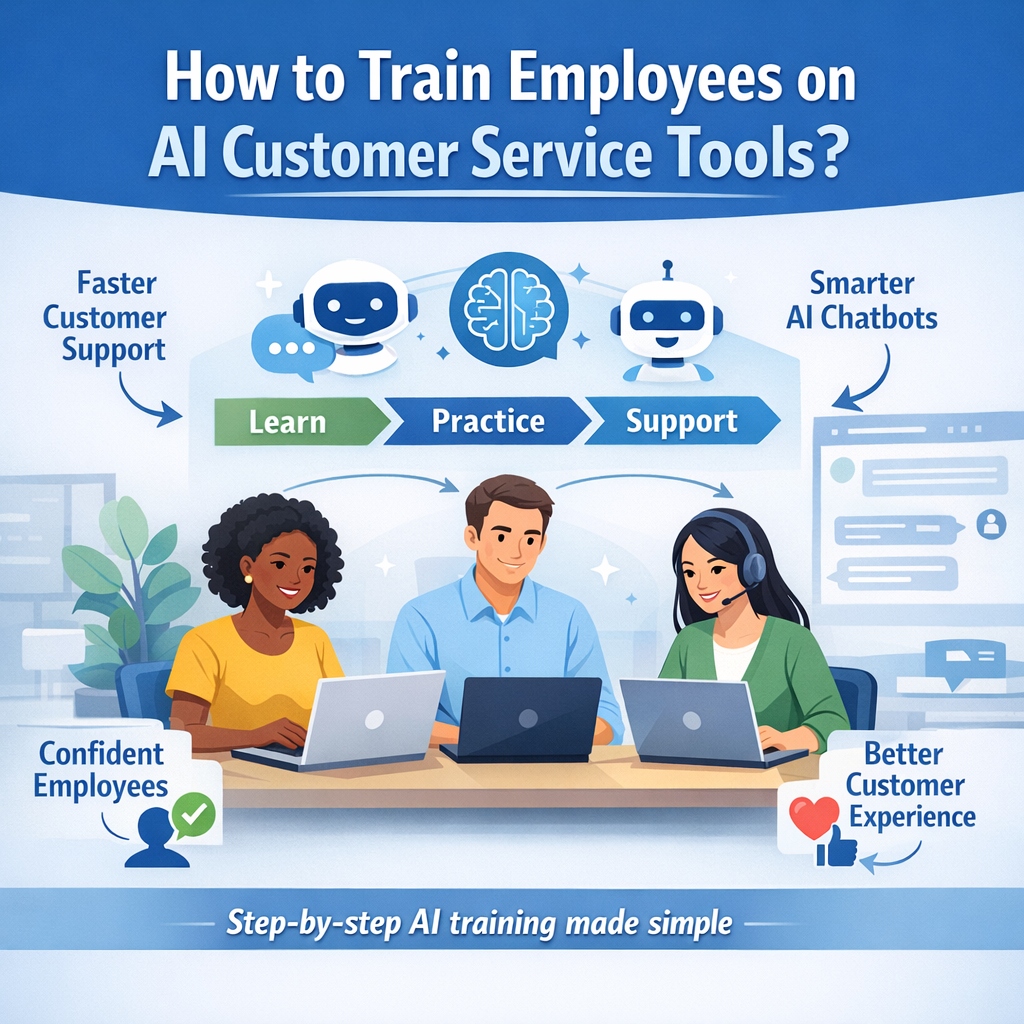
AI tools help customer service teams work faster and better. These smart programs answer questions very quickly, which makes customers happy. Because technology changes fast, training is the key to helping employees use these tools safely. When workers know how to use AI, they feel sure about their jobs. This training helps everyone work together with new digital helpers.
What Are AI Customer Service Tools?
AI customer service tools are smart helpers. They use computers to talk to customers and solve problems. Chatbots are a common type of AI tool that can work all day and night. This means customers do not have to wait for help even when the office is closed.
These tools are special because they learn over time. They look at past talks to get smarter and suggest the best answers to human workers. This saves a lot of time for the team. In fact, Zendesk notes that AI can even guide new hires through their first days of training.
The Benefits of Proper Training
Proper training reduces the fear of losing jobs. It shows workers that AI is there to help them rather than replace them. As a result, employees can focus on interesting tasks instead of boring ones. They can stop doing repetitive work and solve harder problems for customers.
Using AI correctly leads to big results. Research shows that AI helps teams close tickets 14% faster. Because of this speed, daily work feels much lighter, as seen on Reddit. Training also keeps the team strong by making sure everyone learns the same skills. IBM notes that workers must learn how to use data to make service feel personal.
Selecting the Best AI Tools for Your Team
It is important to pick tools that fit the specific problems your team faces. If you deal with many repetitive questions, a chatbot is a good choice. To make things easy, look for “no-code” tools that do not require hard computer skills. Common tools for chat include Zendesk AI, Intercom, and Freshdesk.
For voice training, ElevenLabs is a very helpful tool. It can cut training time by 20%. According to X, companies like TELUS use AI simulations so new hires can practice talking. Small businesses can also benefit from training on simple tools like ChatGPT, as discussed on Facebook.
A Step-by-Step Guide to Effective Training
Step 1: Assessing Current Employee Knowledge
Before you start, you must find out what your workers already know. Surveys are a great way to find gaps in knowledge. Udemy Business suggests sending surveys to check if staff know how to write good prompts.
Step 2: Defining Your Success Goals
Set clear goals for your training program. You might want to cut ticket time or increase how often the team uses AI. Bookipi says these goals should match what the business wants to achieve.
Step 3: Creating the Learning Plan
Short lessons are the best way to learn new things. Use videos and give workers plenty of time to practice. iTacit recommends using real cases, such as how Uber uses AI to create fast summaries.
Step 4: Teaching the Basic Concepts
Teach the team how to write “prompts,” which are the instructions they give to the AI. Workers must also learn to check AI answers. Qualimero notes that humans should review AI work to make sure it feels friendly and correct.
Step 5: Implementing Hands-On Practice
Role-play and simulations help workers feel comfortable with the software. Comm100 suggests practicing with live chat tools. Advice from Reddit says you should train your AI just like you would train a human staff member.
Step 6: Monitoring and Fixing Gaps
Use tests and feedback to see how everyone is doing. This helps you fix weak spots in the training quickly. Hiver suggests measuring customer satisfaction scores to see if the AI is truly helping.
Methods to Make Learning Fun
Games and rewards keep employees excited about learning new skills. This is often called gamification. Training Industry mentions that giving out winnable badges can boost interest. Another fun idea from X is to hold a 30-day AI challenge for the whole office.
Overcoming Resistance and Ethical Concerns
Some workers may worry that AI will take their jobs. You can help by showing how AI frees up time for real human connection. Guild explains that AI makes human talks better. To keep things safe, set up a dedicated team to monitor for bias as discussed on Facebook. This team ensures the AI is fair to everyone.
Real-World Success Stories
Many big companies are already successful with AI. Uber and Lidl use AI to make summaries and answer common questions. For example, one shop shared on X that they handle 90% of their tickets using AI templates. They did this by training the AI to act “just like them,” which is a tip found on Reddit. By teaching the AI a personal style, the templates still feel human and warm.
Building a Culture of Continuous Learning
AI changes very fast, so training must be updated often. TalentLMS suggests using templates to find new gaps in knowledge. These forms show which new features staff have mastered and where they still need help. You can build AI fluency by offering short, regular sessions, as noted on Facebook.
Quick Comparison of AI Service Tools
| Tool | What It Does | Good For |
| Zendesk AI | Auto replies | Fast chats |
| Intercom | Chatbots | Personal help |
| Freshdesk | Ticket help | Team work |
| ElevenLabs | Voice sims | Practice calls |
Final Tips for Managers
Managers should lead by example by using AI tools themselves first. Give your employees enough time to learn without rushing them through the process. Axonify suggests using learning plans that fit each person’s specific needs. Finally, treat AI like an intern. As mentioned on X, it needs good training and guidance to do a great job.
Conclusion: Starting Your AI Journey
Starting your AI training today will help your company grow and succeed. Training makes your team stronger and your customers much happier. AI is a powerful helper, but it works best when people know how to use it right. Begin with these simple steps to see big changes in your customer service.